 ExtLab
 ExtLab Copy URLs
Copy the URLs of all your tabs in one click
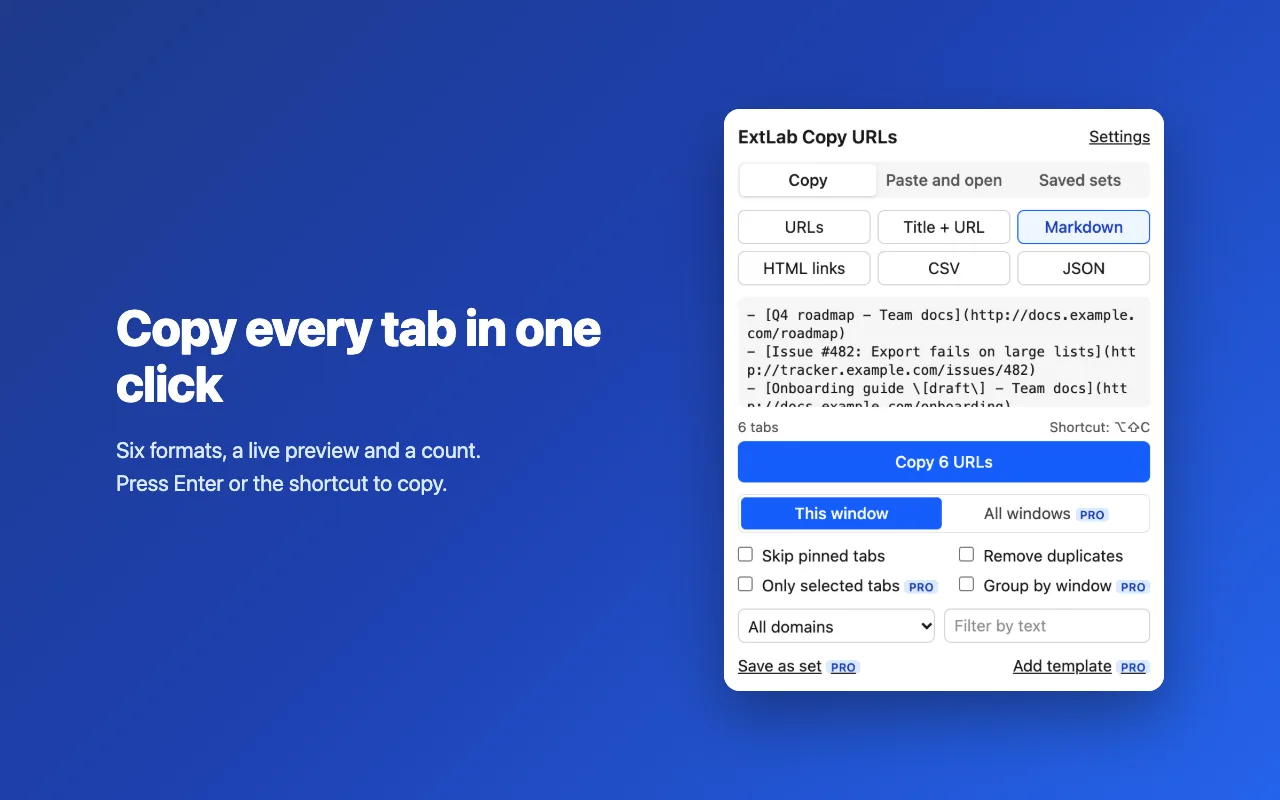
Get every tab of a window as a clean list: plain URLs, Markdown, HTML links, CSV or JSON. Paste a list back in, and it opens the links.
- Free for one window
- No account
- No access to page content
How it works
- 1
Click the icon
The popup shows how many tabs it found and a preview of the list.
- 2
Pick a format
Choose one of six formats. Skip pinned tabs or remove duplicates if you want.
- 3
Press Copy
The list is on your clipboard. Next time, one keyboard shortcut does it all.
A closer look
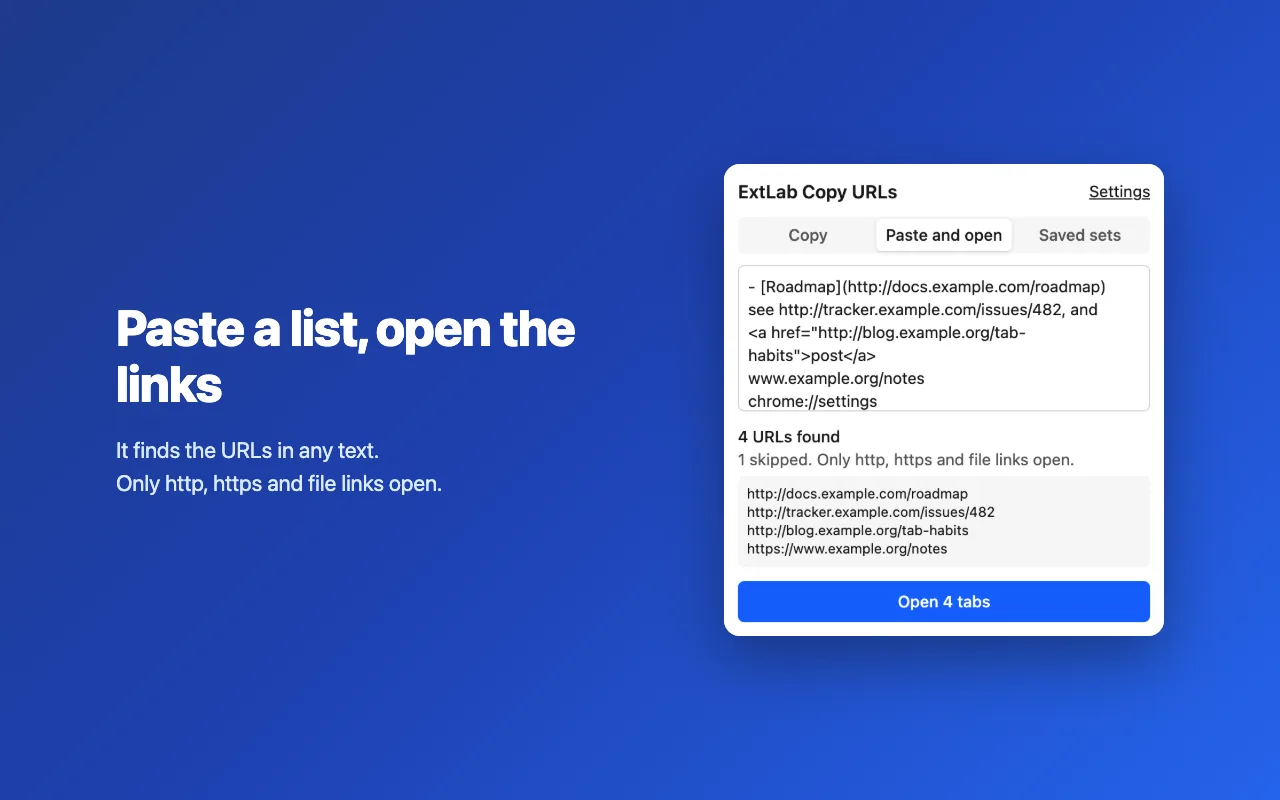
Paste any text and open the links in it. 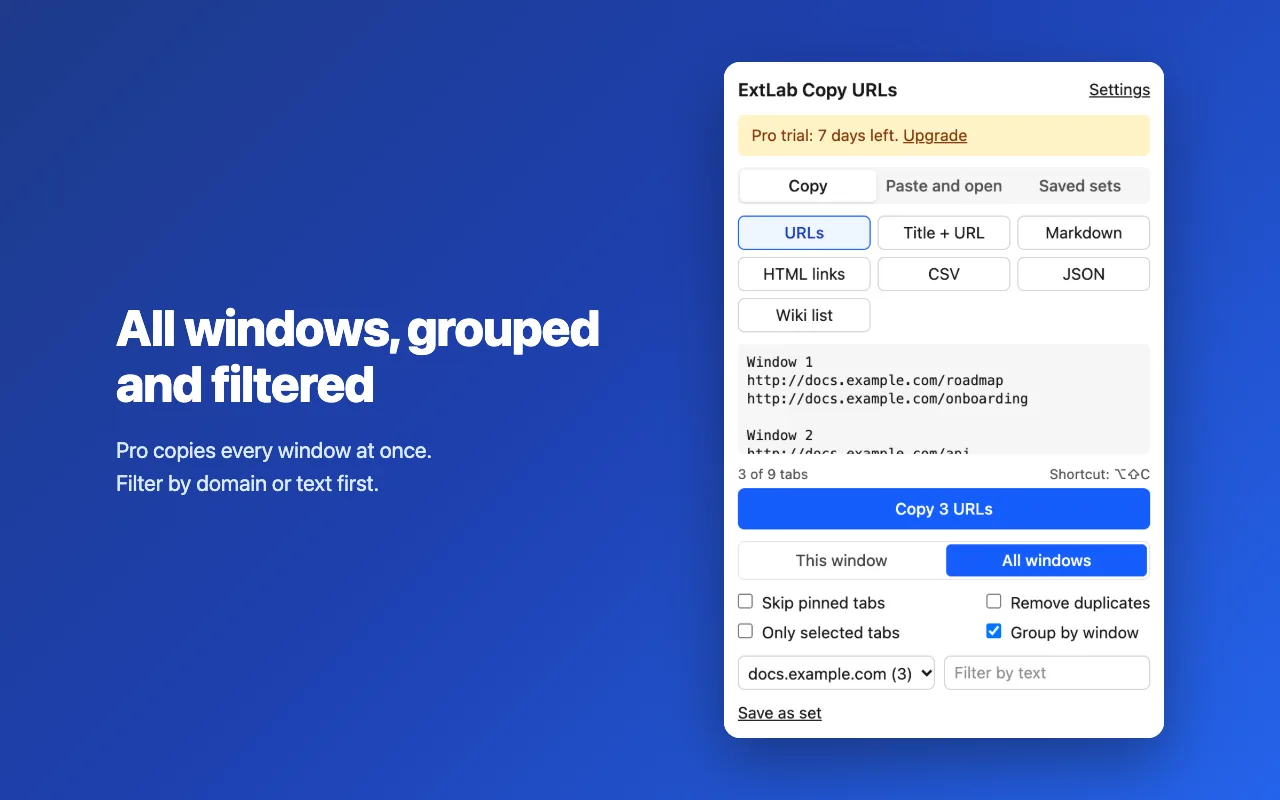
Pro: copy all windows, grouped and filtered. 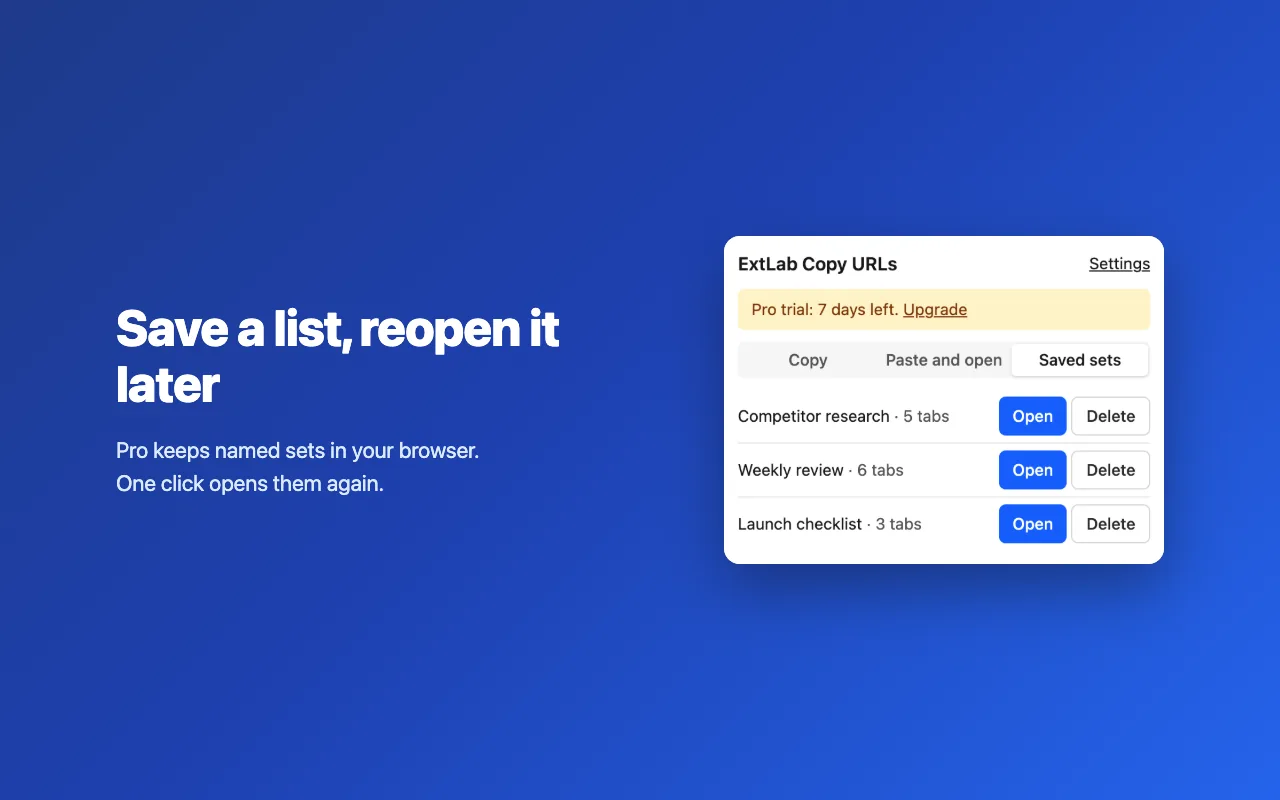
Pro: save a list and reopen it later.
Free and Pro
The free version does the core job, with no time limit. Pro adds the rest.
| Feature | Free | Pro |
|---|---|---|
| Copy every tab of a window in one click | Included | Included |
| Six formats: URLs, Title + URL, Markdown, HTML links, CSV and JSON | Included | Included |
| A count and a live preview before you copy | Included | Included |
| Skip pinned tabs and remove duplicates | Included | Included |
| A keyboard shortcut that copies with your last format | Included | Included |
| Paste and open: paste any text and open the links in it | Included | Included |
| All windows at once, grouped by window | Not included | Included |
| Filter by domain or text, and copy only selected tabs | Not included | Included |
| Your own templates with {title}, {url}, {domain} and {index} | Not included | Included |
| Save a list as a named set and reopen it | Not included | Included |
Pricing
Free
$0
The core features, with no account. No time limit.
- Copy every tab of a window in one click
- Six formats: URLs, Title + URL, Markdown, HTML links, CSV and JSON
- A count and a live preview before you copy
- Skip pinned tabs and remove duplicates
Pro
$9/yr
Every feature, on 3 browsers with one key.
Billed yearly on Gumroad. A 7-day free trial starts from the extension.
Good to know
- The shortcut opens the popup for about a second. Chrome needs that for clipboard access without an extra permission.
- File links open only after you turn on "Allow access to file URLs" for the extension.
- Paste and open opens only http, https and file links.
Looking for Copy All Urls? Chrome turned off Manifest V2 extensions in 2025. ExtLab Copy URLs covers the same core job on Manifest V3.
FAQ
Does it send my URLs anywhere?
No. Your tabs, URLs, templates and saved sets stay in your browser. The extension sends only license checks and anonymous usage statistics, and you can turn the statistics off.
Why does the popup appear when I press the shortcut?
A Chrome extension can write to the clipboard from a visible page without an extra permission. So the shortcut opens the popup, copies, shows the count and closes it again.
Which links does Paste and open accept?
It finds http, https and file links in any text, including Markdown, HTML, CSV and JSON. It also accepts www links and lines that hold only a domain. Other kinds, such as chrome:// or javascript:, never open.
What if a file link does not open?
The popup tells you. Turn on "Allow access to file URLs" in the details of the extension at chrome://extensions, then try again.
Can I copy only some of my tabs?
Yes, with Pro. Select tabs in the tab strip with Ctrl or Shift and choose Only selected tabs, or filter by domain or text.
Does it work offline?
Yes. ExtLab Copy URLs keeps your data in your browser. A paid license also keeps working for 14 days without a connection.
How does the license work?
Buy on Gumroad and you get a license key by email. Paste it into the extension's options page. One key covers 3 browsers.
What happens if I cancel?
Pro stays on until the end of the year you paid for. After that the extension falls back to the free tier, and your data stays where it is.
Do you see the sites I visit?
No. ExtLab never collects URLs or page content. The privacy page lists everything we do collect.
Copy the URLs of all your tabs in one click
Free for one window · No account · No access to page content